
What Google Actually Sees When It Crawls a New Blog
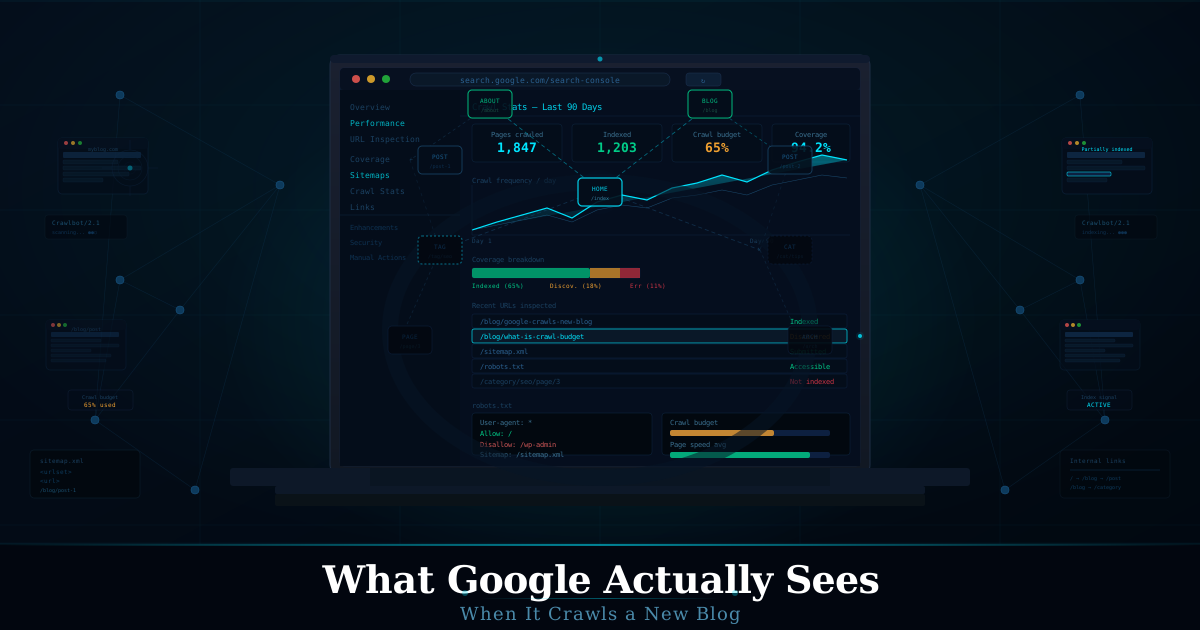
What Google Actually Sees When It Crawls a New Blog is something most beginner bloggers misunderstand completely, and that confusion causes indexing and ranking problems early.
I launched my first blog thinking the hard part was the content. Wrote twelve posts before publishing. Set up categories, tags, a custom domain, a nice theme. Spent three days on the About page.
Then I waited.
Nothing. Three weeks of nothing. I kept refreshing Google Search Console like it owed me something. The site existed. Google had crawled it — I could see that much. But ranking? Indexing beyond the homepage? Zero.
It took me embarrassingly long to realize I didn’t actually understand what happens when Google crawls a new blog. Not at a surface level. At the actual mechanical level — what the bot sees, what it evaluates, what it quietly decides in the first few visits. Once I figured that out, everything changed. Not overnight. But it changed.
Googlebot isn’t impressed. It’s assessing.
Here’s the thing most new bloggers don’t understand: when Googlebot shows up, it’s not reading your content the way a human would. It’s not going, “oh, this is a great point.” It’s scanning structure, following links, evaluating signals, and making probabilistic decisions about whether this site is worth repeated visits.
It’s basically asking: Is this a real website, or noise?
And a fresh blog, with no backlinks, no history, no engagement data — that looks a lot like noise at first glance. Painful truth. But worth understanding.
Google’s crawler — Googlebot — arrives via a crawl queue. Your site gets added to that queue when something points to it, or when you submit a sitemap through Search Console. Either way, the first visit is shallow. It’s not indexing everything. It’s checking whether the site is even worth deeper crawling. Think of it like a scout, not a full expedition.
What it actually evaluates on that first crawl
This is where most blogs fall apart and don’t even know it.
Crawlability. Can Googlebot actually navigate the site? This sounds basic. It isn’t. I once published a WordPress blog where a plugin had accidentally set the “Discourage search engines” checkbox. Sat there for six weeks wondering why I had zero impressions. Big mistake. Never assumed that setting was fine without checking robots.txt again.
Your robots.txt file is the first thing Googlebot reads. If it says Disallow: /, you’re invisible. Full stop. And it’s not always obvious — staging environments sometimes ship with this enabled, and if you’ve moved from staging to live without checking, congratulations, you’ve just blocked yourself.
Internal link structure. Googlebot crawls by following links. If your homepage links to five posts, those five get crawled. Everything else? Might not even get discovered on the first pass. This is why a well-structured navigation and a sitemap matters — not for SEO rankings directly, but for basic discovery. A post buried three clicks from the homepage on a brand-new blog might not get indexed for weeks.
I once wrote what I still think is the best article on that whole site — detailed, well-researched, actually useful. Buried it under a sub-category nobody would navigate to organically. It sat un-indexed for almost two months. Painful. Every time I think about it.
Page load speed. Googlebot has time limits. Not strict hard cutoffs, but it allocates crawl budget — the number of pages it will crawl in a given session. Slow pages eat budget. If your homepage takes eleven seconds to load because you’ve stacked six unoptimized plugin scripts on a shared hosting plan, Googlebot might crawl two pages and leave. Not ideal.
Thin content signals. Here’s one people don’t talk about enough. When Google crawls a new blog with ten posts, each around 300 words, written in a generic way with no original structure or angle — it doesn’t necessarily penalize you outright, but it doesn’t prioritize you either. There’s an internal signal, not always clearly documented, around content quality and depth. Thin, repetitive pages depress crawl frequency over time.
I’ve tested this. I had a niche blog where I published twenty short posts quickly — thought volume would help. Crawl frequency actually dropped after the first week. Google figured out fast that there wasn’t much here worth frequent revisiting.
The crawl budget thing — nobody explains it properly
Crawl budget is one of those concepts that gets mentioned constantly and explained terribly.
Here’s what it actually means: Google has finite resources. It can’t crawl every page of every site every day. So it allocates a crawl budget to each site — basically, how many pages it’ll crawl per session, and how often it comes back.
For a brand-new blog, your crawl budget is tiny. You haven’t earned deeper attention yet. Googlebot might hit your homepage and three linked posts, then leave. Come back in a week. Hit a few more. This is normal. But it means that if you’ve published twenty posts in week one, many of them won’t get indexed quickly — and some might wait a long time if the ones Googlebot does crawl aren’t impressive.
What improves crawl budget over time? Fast load speed. Clean internal links. No broken pages. No redirect chains. No URL parameter chaos. And — this is where it gets nuanced — content that keeps humans on the page when they do land.
Google connects crawl behavior to user engagement data over time. It’s not a direct 1:1, but if pages get crawled and indexed, users land on them, bounce immediately, and never come back — that signals something to Google. Your crawl priority adjusts accordingly.
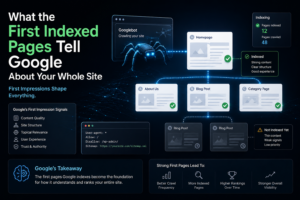
What the first indexed pages tell Google about your whole site
This part surprised me when I finally understood it.
The pages Google indexes first become the initial signal set for your entire domain. They’re essentially your first impression — not to users, but to the algorithm. If those pages are well-structured, have clear topical focus, load fast, and don’t have obvious quality issues, Google’s disposition toward your domain starts positive.
If those first indexed pages are thin, unclear in topic, or have technical problems — duplicate meta descriptions, missing canonical tags, redirect loops on a few URLs — that’s what Google is building its mental model of your site from.
I’ve seen people launch blogs and immediately go wide across topics — travel, finance, personal development, recipes — thinking more content means more chances to rank. What actually happens is Google can’t figure out what the site is about. Topical authority, as Google’s own documentation around helpful content has reinforced, matters. A blog that’s clearly about one thing ranks faster than a blog that’s about everything, in my experience. Every time.
Where most new blogs silently fail the crawl
Let’s be blunt about the common patterns I’ve seen (and personally done, embarrassingly enough):
Identical or near-identical meta descriptions across posts. Google doesn’t penalize this directly, but it’s a missed signal. When every post says “Welcome to [Blog Name], where we talk about [Topic],” you’re wasting the one field where you can directly describe page content to the crawler.
No XML sitemap, or a broken one. WordPress generates one automatically now, but countless themes and custom setups don’t. If your sitemap returns a 404, Googlebot has no roadmap to your content. It’ll find things — eventually — through internal links. But it’s slower and more random than it needs to be.
Pagination without proper handling. If you have category pages that paginate — page 1, page 2, page 3 — and no rel=”next” / rel=”prev” structure, Googlebot sometimes treats these as separate thin pages rather than a coherent series. Small thing. Quietly hurts.
JavaScript-rendered content. This one is a trap for bloggers using modern headless setups or heavy JavaScript themes. Googlebot can render JavaScript, but it’s slower and less reliable than server-rendered HTML. If your blog loads content dynamically via JS and Googlebot crawls before rendering completes, it might index a blank or partial page. Google itself has acknowledged that JS rendering adds processing delay in the crawl pipeline — I’ve seen this show up in the “Crawled — Currently Not Indexed” reports in Search Console on JS-heavy sites I’ve worked on.
The honest reality of the first 90 days
Your first three months of a new blog are basically data collection — for you and for Google.
Google is figuring out: What is this site? Is it worth crawling more? Is the content consistent? Does anything link to it yet?
You’re figuring out: What actually resonates? What did I get wrong structurally? Which posts are actually indexed?
The temptation is to publish more. More content, more chances to rank. Sometimes that’s right. But more often, the better move in those early months is to get the technical foundation clean — crawlability, internal links, load speed, sitemap — and make the first ten to twenty posts as strong as possible. Because those are the pages Googlebot sees first and decides your domain’s initial value from.
I wasted the first four months of my third blog publishing constant content onto a foundation with three technical problems I hadn’t noticed. Fixed the problems in month five. Rankings started showing up in month six. Lesson learned.
One more thing worth knowing
Google has gotten very good at distinguishing sites that exist to exist versus sites that exist to help people. It doesn’t do this perfectly. But it does it well enough that you can’t fake your way to sustained rankings anymore the way you might have in 2012.
What that means for a new blog: the crawl isn’t just a technical event. It’s the beginning of a relationship where Google is asking a simple question every time it visits — is this site getting better or staying the same?
If the answer over time is “getting better” — more content, stronger authority, better engagement signals, cleaner technical setup — crawl frequency increases. Index coverage deepens. Rankings gradually appear.
If the answer is “stagnant” — same twenty posts since launch, no improvement, no new signals — Googlebot visits less. Not as punishment. Just as resource allocation. There’s nothing new here worth checking.
The sites that grow aren’t always the ones that publish the most. They’re the ones that give Google a reason to keep coming back.
Give it a reason.
Explore more here: Hova Blogs
Join us on YouTube
We also share step-by-step blogging videos, SEO walkthroughs, and content growth strategies on our YouTube channel if you prefer watching instead of reading.
Watch here: HovaBlog YouTube Channel